Manufacturing Orders
Manage your production orders and bill of materials (BOM) for optimized production
Manufacturing, from recipe to finished product
By hand, or let the AI assistant build the order. Stock and material costs follow on their own.
By hand
1
I create the recipe
A product's components, once and for all (e.g. 1 window = 4 profiles + 2 hinges + 1 glass unit).
2
I create the order
The product and quantity to make (e.g. 10 windows).
3
I launch production
The order moves to in progress.
4
I complete the order
Components leave stock, the finished product enters it, automatically.
5
I track costs
The real material cost is computed and attached to the project, if applicable.
Or let your AI assistant build the order
A product to run in a batch? Hand it to the assistant.
You
You hand over the request
The product and quantity you want.
The AI assistant prepares everything
Creates the recipe or the missing component
Checks available stock
Flags materials to order
Builds the order, ready to launch
You
You confirm and launch
You keep the final say.
The gain: the order goes from idea to ready to make in seconds — stock up to date, zero forgotten consumption.
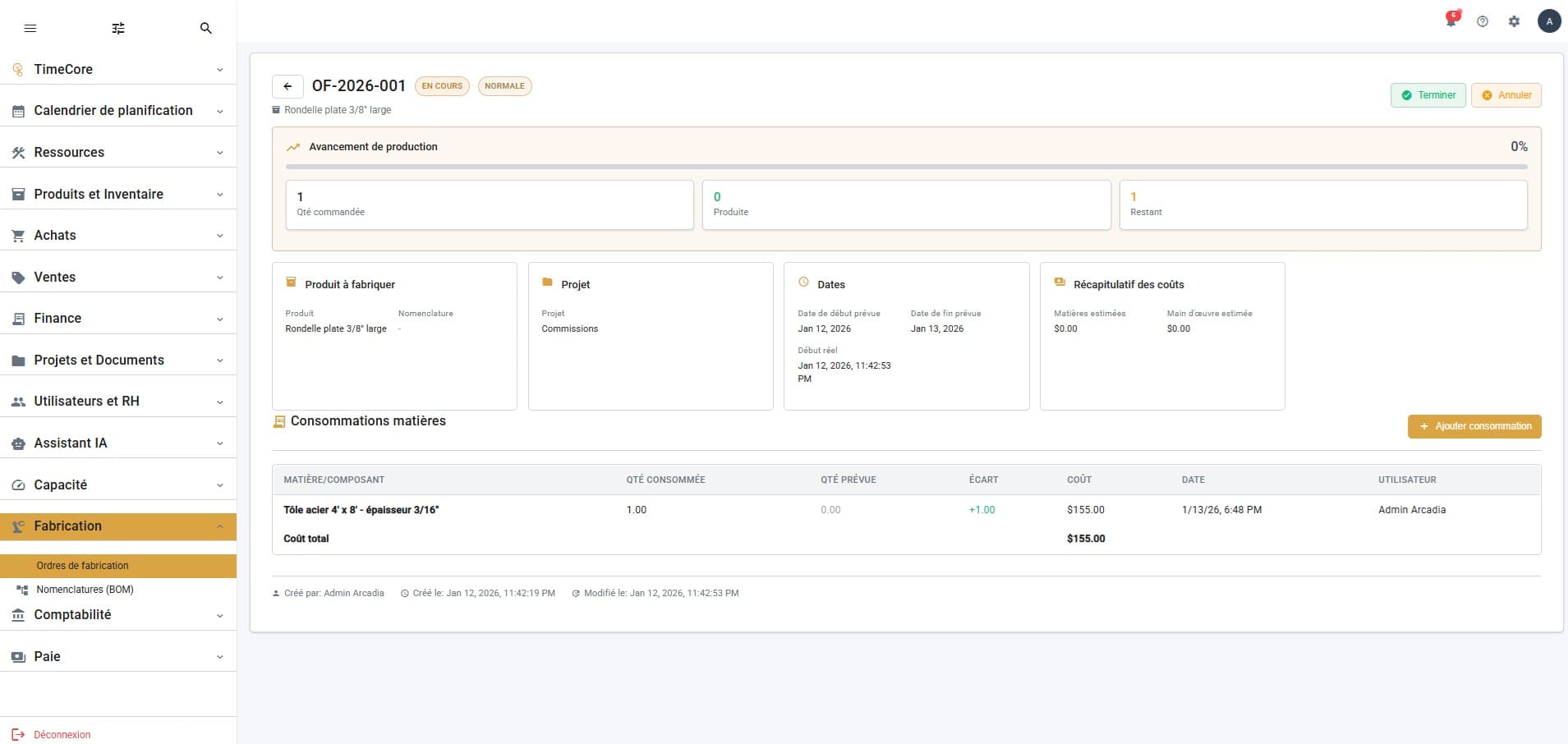
Production Orders
Manage the complete production order cycle: draft, released, in progress, completed. Real-time cost, material and progress tracking.
Bill of Materials (BOM)
Define your product compositions: components, quantities, scrap rates and estimated costs. Manage BOM versions and activation.